Now in beta for iPhone

Is your home Wi-Fi safe? Check in once a week.

Vigil by Cortex is your weekly home Wi-Fi checkup. One tap checks every device on your network and what the internet can see, then tells you in plain English what to fix and how. No tech skills needed.

Free to start. Sign in with Apple or email.

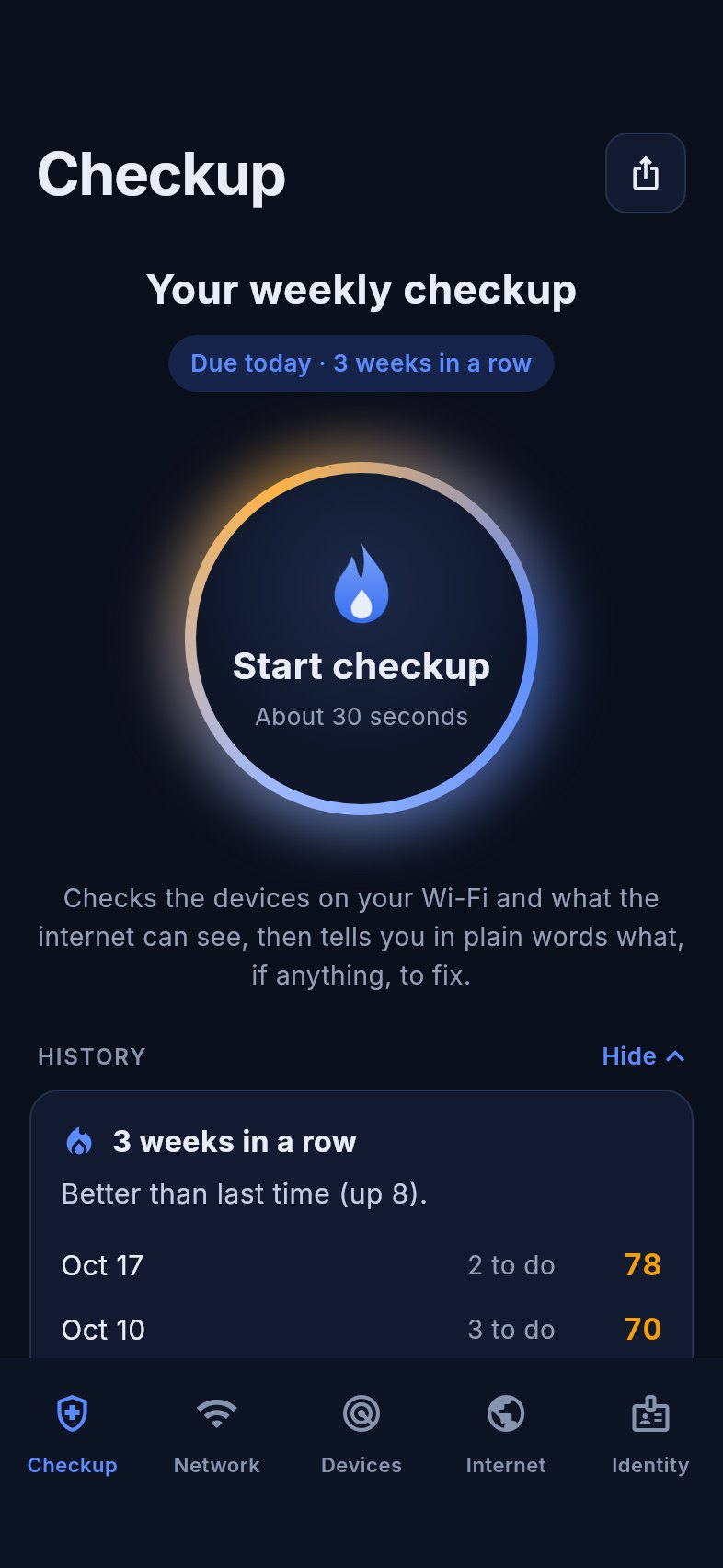
Vigil's weekly checkup screen with a glowing Start checkup button and a 3-week streak
20+devices on a typical home Wi-Fi, from TVs to smart plugs
24/7automated scanners knock on home routers, looking for open doors
30 seca week is all it takes for Vigil to check yours
What Vigil does

Security checks, without the jargon

Tools like this used to be built for IT experts. Vigil is built for everyone else.

A weekly checkup that builds a habit

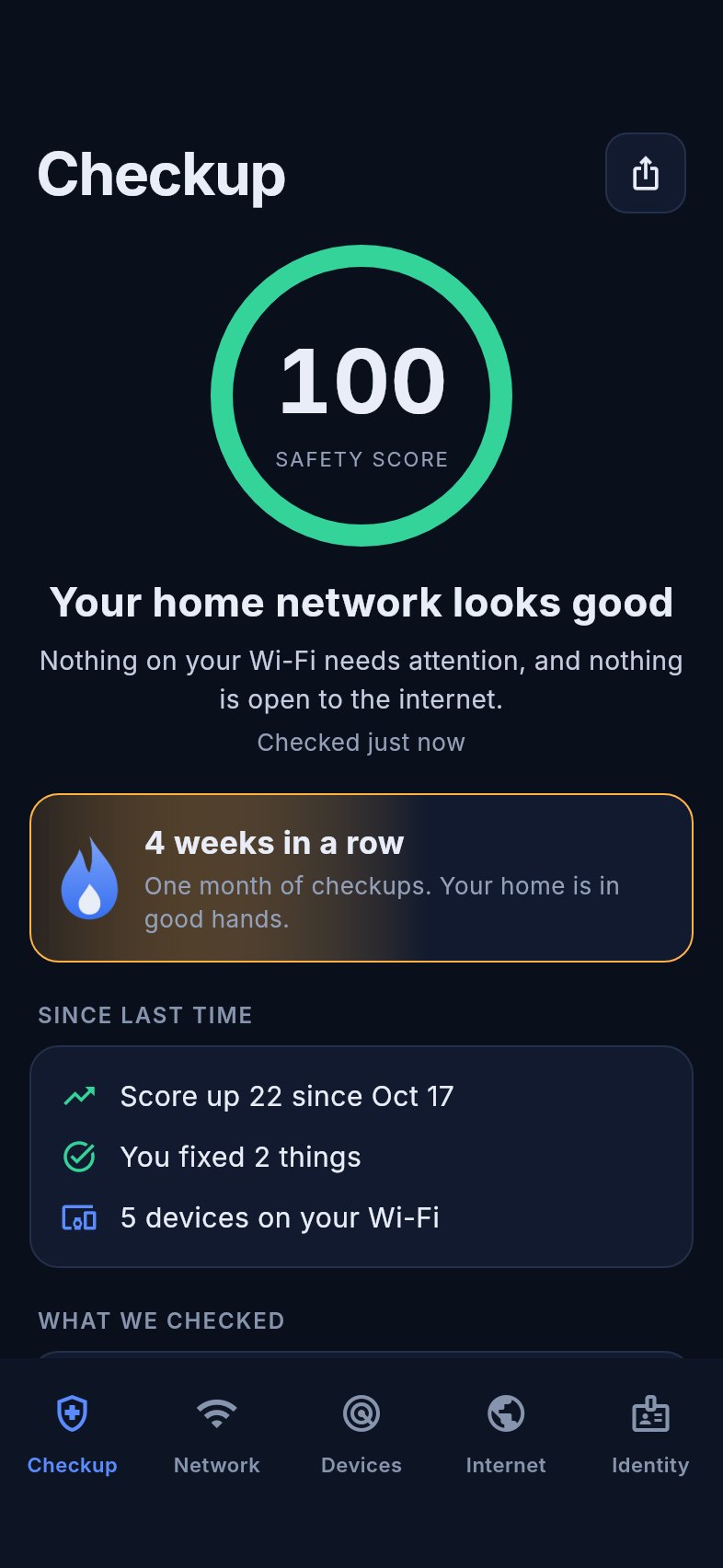
Once a week, tap Start checkup. Vigil gives you a safety score, keeps your streak going, and shows what changed since last time. A gentle reminder helps you remember, and you choose the day and time.

  • A safety score from 0 to 100
  • Weekly streaks, like "4 weeks in a row"
  • See your score go up and the things you fixed
Weekly summary with a safety score of 100, a 4-week streak and what changed since last time

Results that tell you what to do next

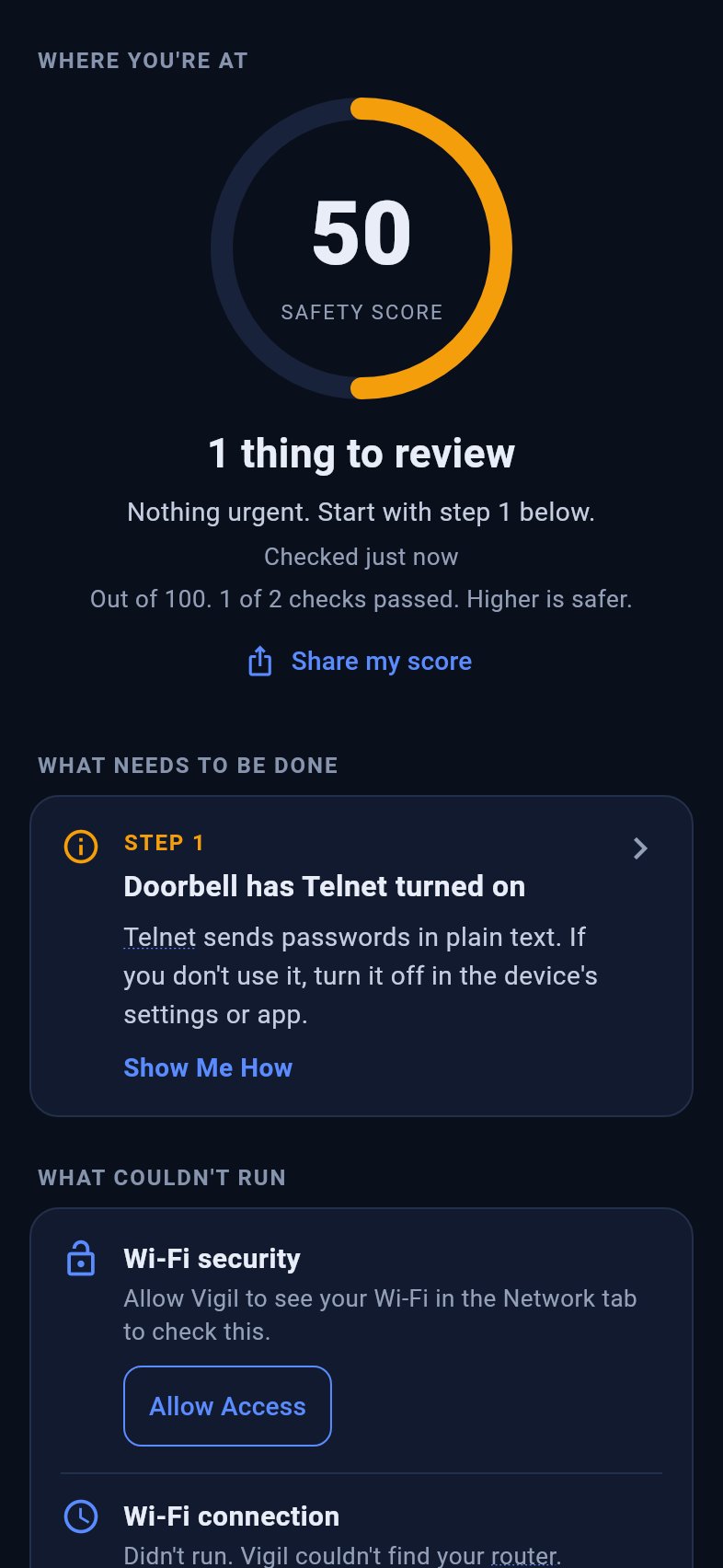
Every checkup ends the same simple way: where you're at, what needs to be done, and what couldn't run. You pick which checks to run before it starts, and the full list of what was done is folded away until you want it.

  • Your score, with a plain line on what it's made of
  • Numbered steps, most important first
  • One tap to fix a check that couldn't run, and watch your score go up
Checkup results showing the safety score, step 1 to fix, and a check that couldn't run with an Allow Access button

See every device on your Wi-Fi

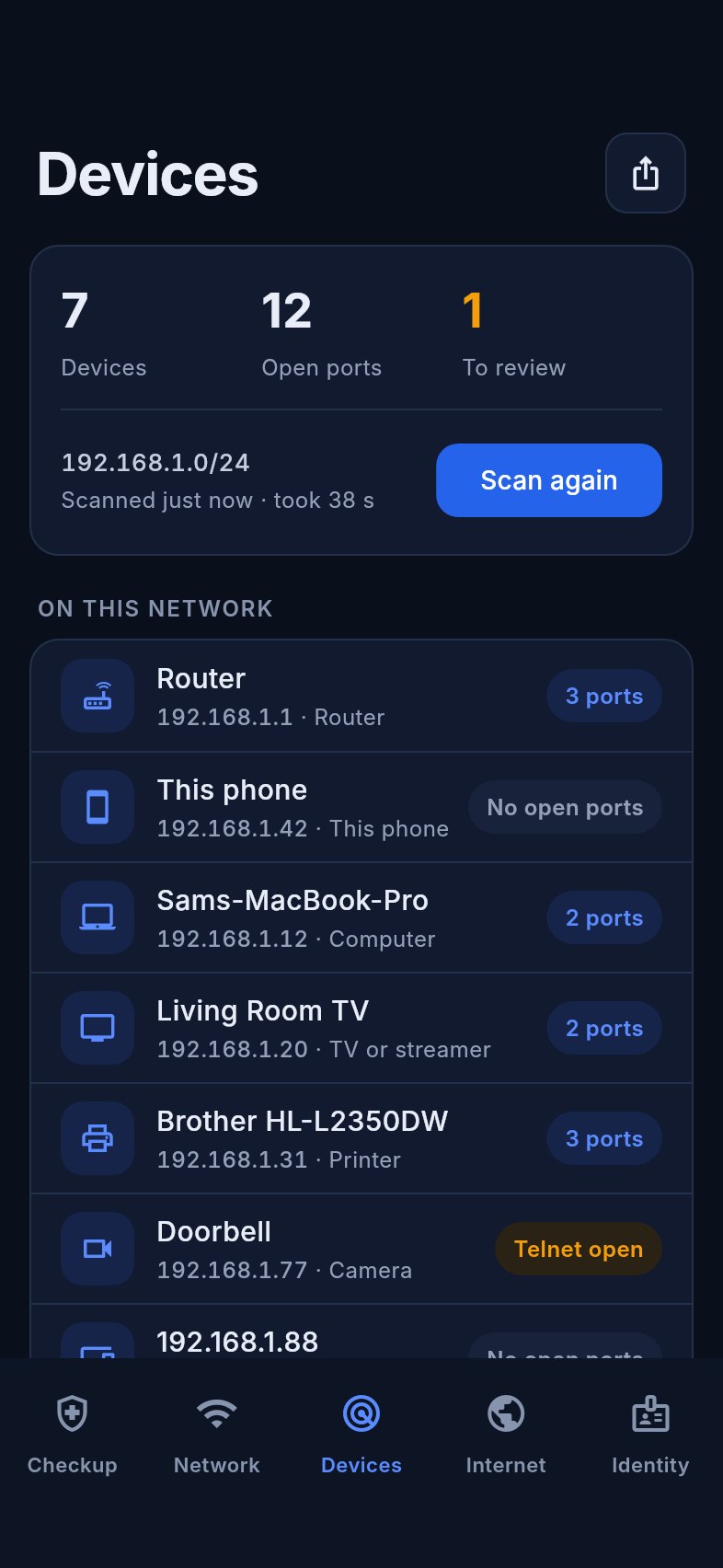
Phones, TVs, printers, cameras, and that box nobody remembers plugging in. Vigil finds them, names them where it can, and shows what each one has switched on.

  • Rename devices so you know what's yours
  • Spot risky settings like Telnet or open file sharing
  • The scan runs on your phone and stays on your network
Devices list

Check your home from the outside

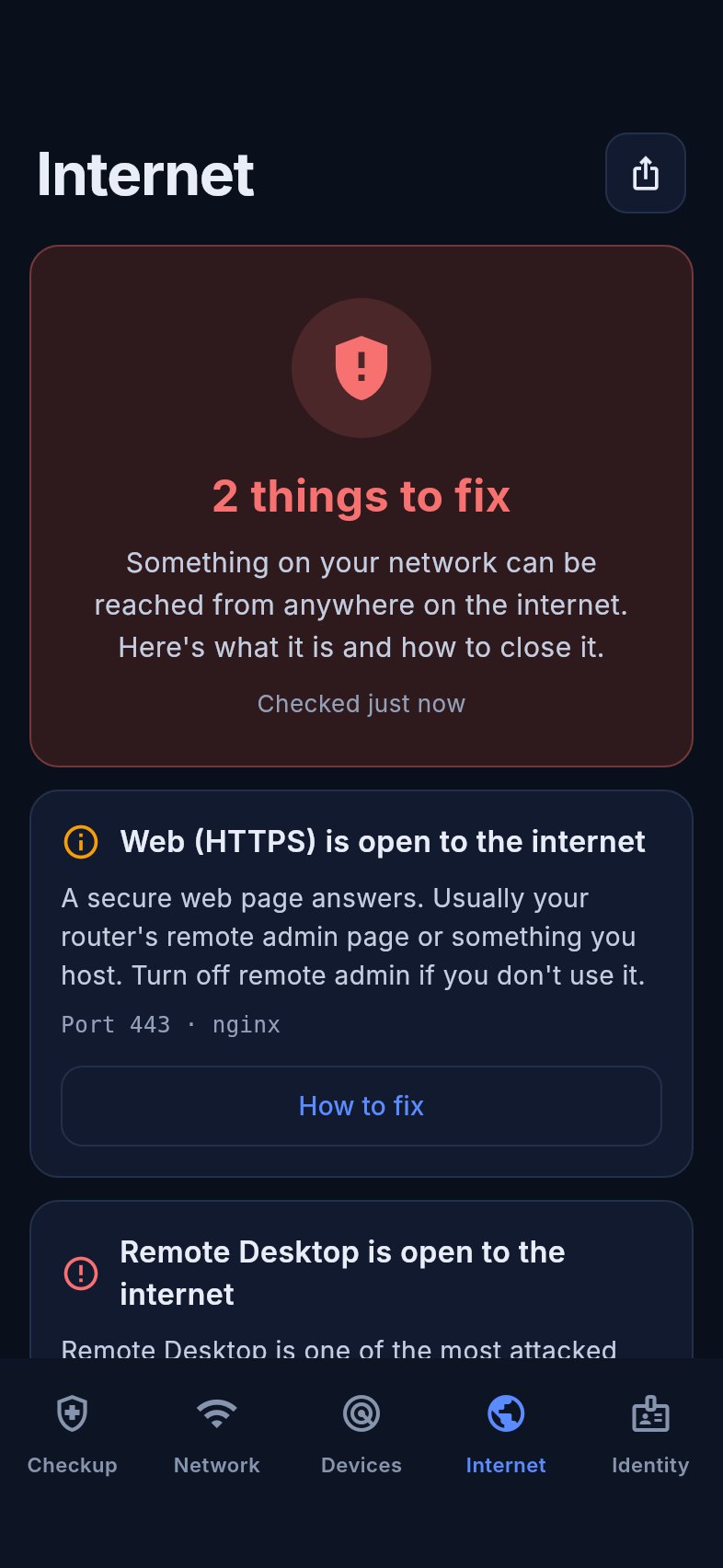
Vigil looks at your connection the way a stranger on the internet would. If a camera or an old router setting has opened a door, you'll know.

  • Only ever checks your own connection
  • Always asks before it checks
  • Nothing is kept afterwards
Internet check result

Step-by-step fixes anyone can follow

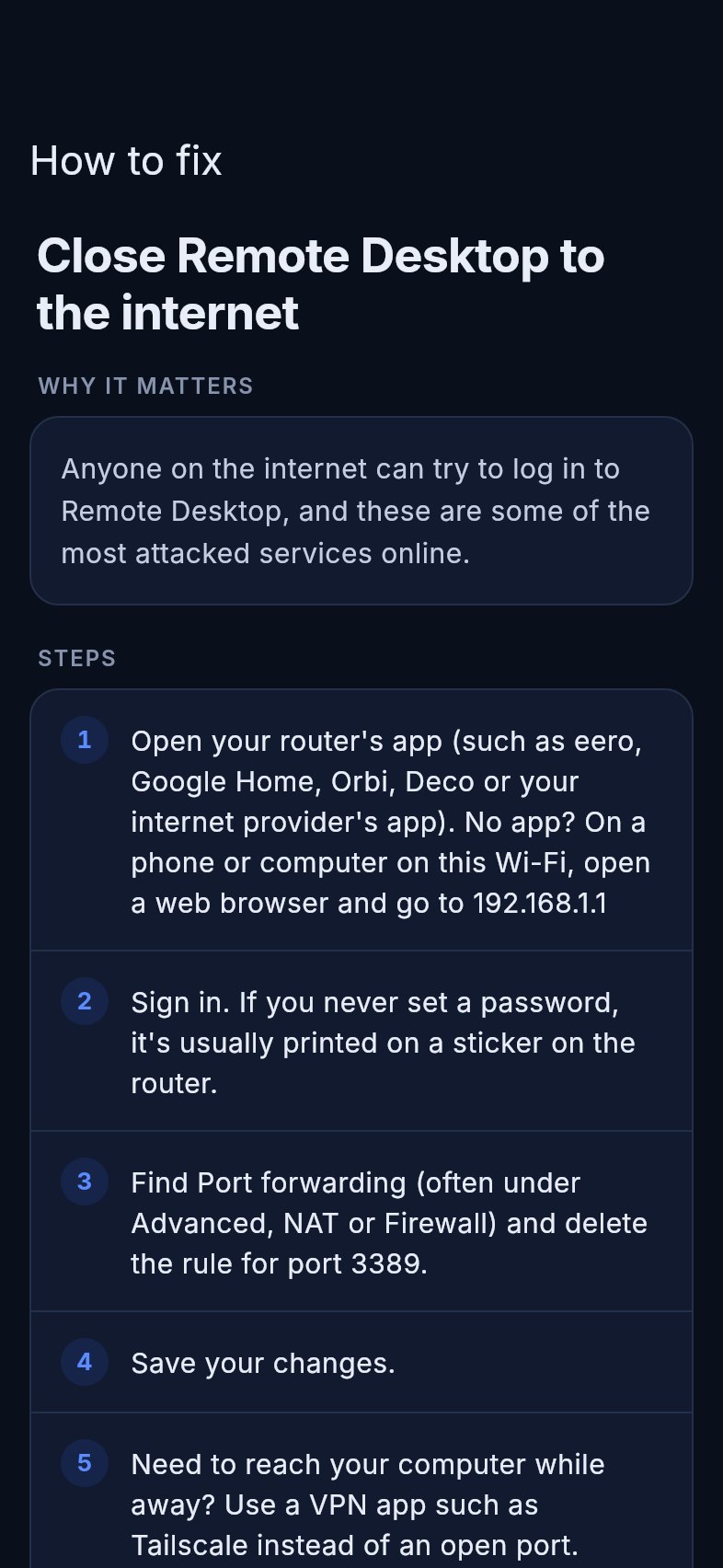
Every finding comes with a short guide: where your router's settings are, what the setting is usually called, and what to change. Written for people who've never opened their router settings.

  • Uses your router's real address
  • Explains why each fix matters
  • No "consult your administrator"
A fix guide with numbered steps

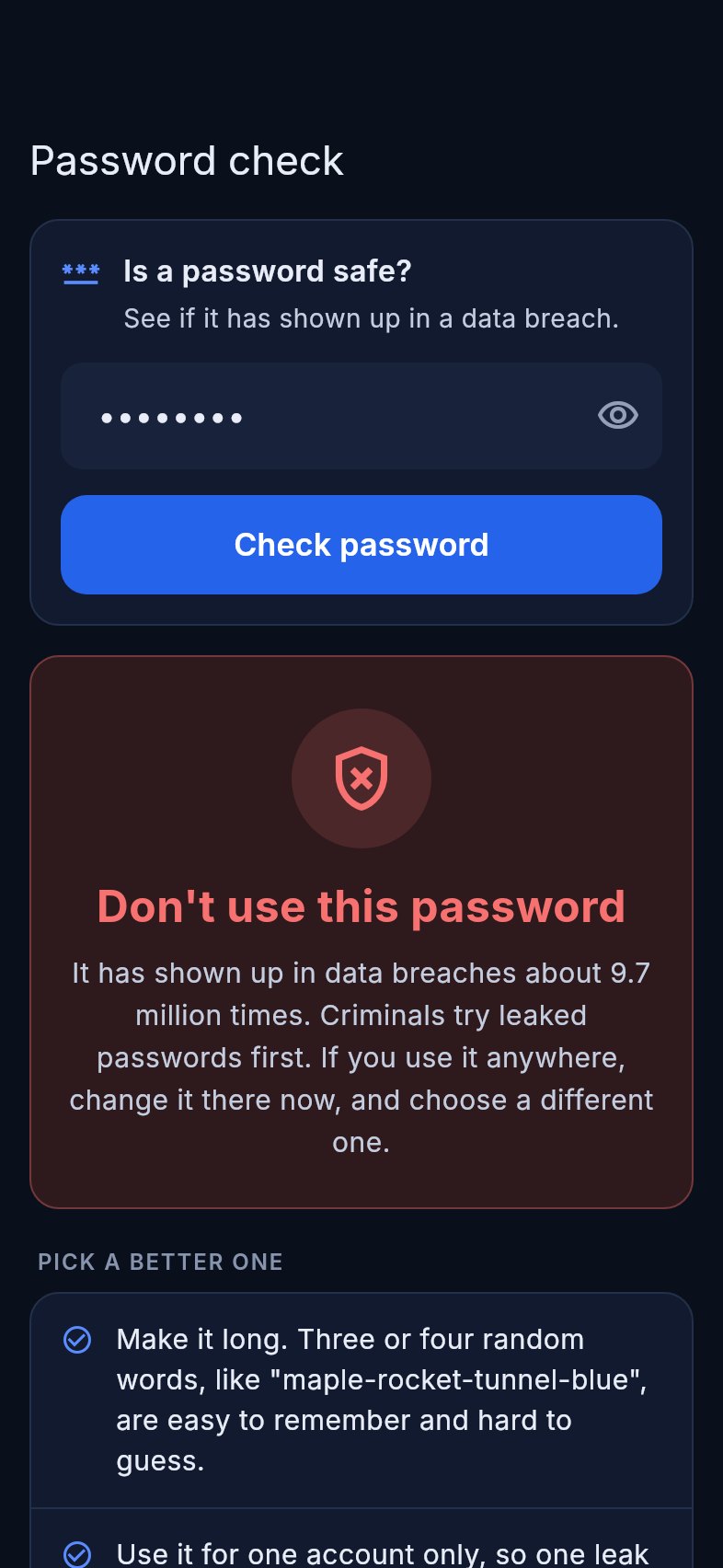
Find out if a password or email has leaked

Check a password before you use it, or check one you already use. If it has shown up in a data breach, Vigil tells you to change it. With Plus, Vigil also checks your email addresses against known data breaches.

  • Your password never leaves your phone
  • Checked against billions of breached passwords
  • Tips for picking a stronger one
Password check showing a leaked password warning

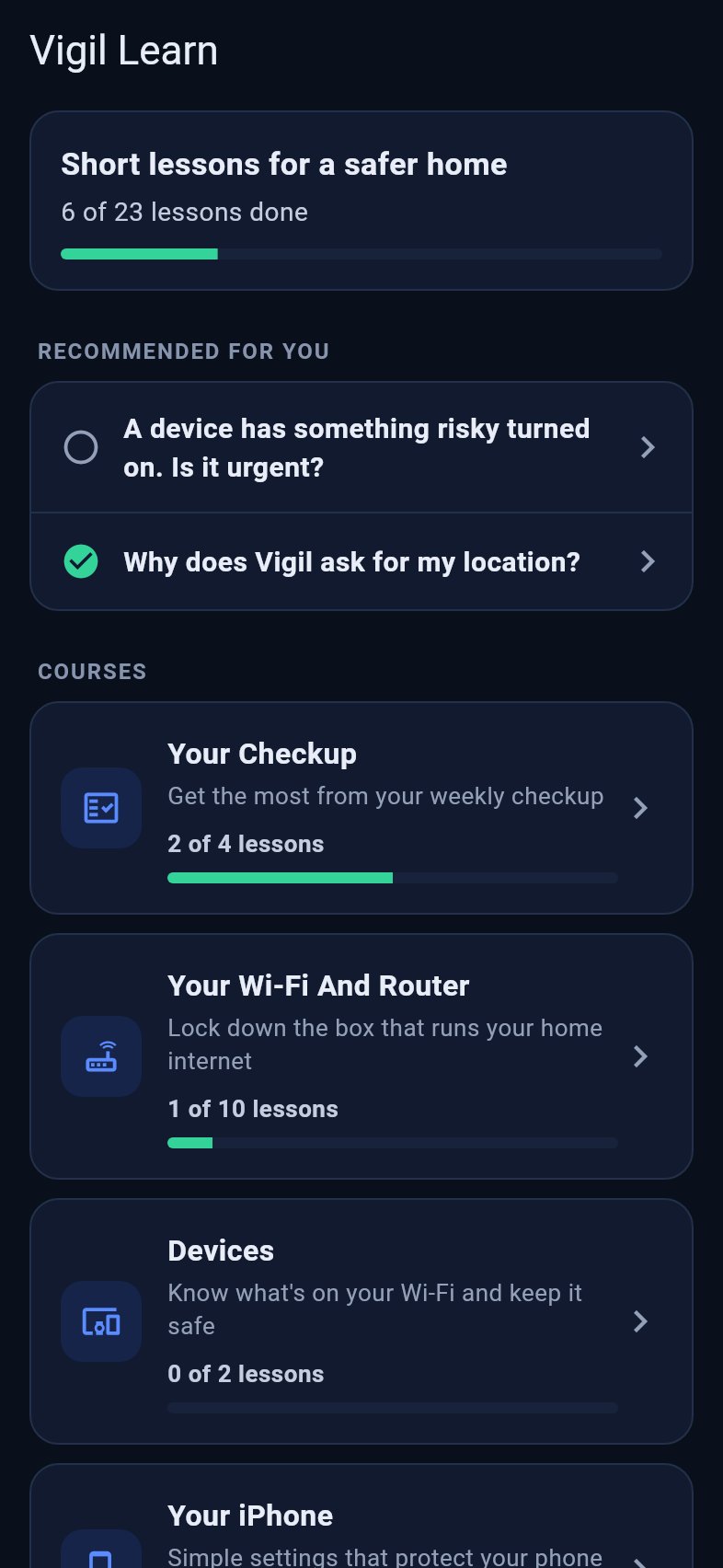
Vigil Learn: short lessons for a safer home

Not sure what a finding means? Vigil Learn has short, plain-language lessons on your Wi-Fi, router, devices, iPhone and passwords. After a checkup, it recommends the lessons that match what Vigil found.

  • Lessons picked from your own checkup
  • 23 bite-size lessons in six courses
  • Track your progress as you go, free for everyone

Read the lessons free on the web →

Vigil Learn showing lesson progress, lessons recommended from the checkup, and courses
How it works

Three steps, once a week

1

Join your Wi-Fi

Open Vigil on your iPhone while connected to your home network.

2

Start your checkup

Pick your checks and tap Run. Vigil checks your devices and your connection, then gives you a score.

3

Fix what matters

Follow the guide for anything it finds. Next week, see your score go up.

Private by design

A security app should respect your privacy

Vigil looks at your network so you can protect it. That's all it does with it.

Results stay on your phoneYour device list and scan results are never uploaded.
Your account stays simpleJust an email or Sign in with Apple. Delete your account any time, right in the app.
Only your own networkThe outside check only ever looks at your own connection.
Passwords stay privateOnly a scrambled fragment is used to check for leaks.
Pricing

Free to start. Plus when you want more.

The core checkup is free, forever.

Free

$0
No card needed
  • Weekly checkup with score and streaks
  • Wi-Fi device scan, any time
  • Outside check once a month
  • Step-by-step fix guides
  • Password leak check
  • Four weeks of history
  • Vigil Learn basics
Coming soon

Plus

$8.99 / month
or $79.99 a year
  • Everything in Free
  • Outside check any time
  • Router check for known security holes
  • Internet blocklist and DNS checks
  • New devices flagged at checkup
  • Email data breach check
  • Device details and full history
  • Monthly report and more than one home
  • Every Vigil Learn lesson
Questions

Good to know

Do I need to know anything about networks?

No. Vigil explains everything in plain English, and every problem it finds comes with step-by-step instructions.

Is it safe to scan my own network?

Yes. Vigil only looks at the network your phone is connected to, and the outside check only ever looks at your own internet connection. It doesn't change any settings. You stay in control of every fix.

How often should I run a checkup?

Once a week. Things on a home network change: new devices join, and settings get reset after updates. Vigil reminds you on the day and time you pick, and only checks when you tap Start. You can run it any time too.

What is Vigil Learn?

Short lessons inside the app that explain what your checkup found and how to fix it, in plain English. After each checkup, Vigil suggests the lessons that match your results. Vigil Learn is free for everyone, and you can read the lessons on the web too.

Do I need an account?

Yes, a free one. Sign in with Apple or your email. It lets us keep the outside check limited to your own connection and keeps your plan in sync. You can delete it any time in the app.

Does Vigil work on Android?

Not yet. Vigil is iPhone-only for now. If you'd like an Android version, let us know.

Can Vigil stop hackers?

Vigil finds common weak spots and helps you close them, which makes your home a much harder target. No app can promise perfect security, and we won't pretend to.

How do I join the beta?

Tap "Join the beta" to get an invite through Apple's TestFlight app. You'll need an iPhone and about five minutes at home.
Keep watch over your home Wi-Fi

Vigil is in beta on iPhone. Join now and help shape it.

Join the beta on TestFlight

Coming soon to the App Store.